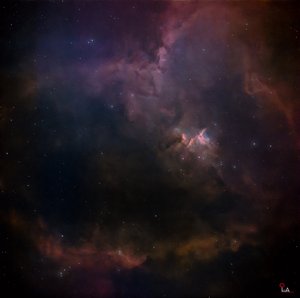
I decided to write this post because I believe it could be useful for OSC (One-Shot Color) camera users who want to create a Pseudo-SHO palette. One of the limitations of OSC cameras is that, unlike monochrome cameras, they cannot capture SII, Ha, and OIII signals independently through dedicated filters to produce a true SHO image.
However, OSC users can still create nebula images with colors similar to the Hubble Palette by using a synthetic SHO technique known as the Pseudo-SHO Palette.
This brings us to an interesting question: Can we make Pseudo-SHO images created with OSC cameras look closer to true SHO images? The answer is yes. This has been possible for quite some time. However, in my opinion, newer filters and improved processing techniques have opened up more opportunities to achieve better results.
Now, another question arises: Why are SII and OIII signals so important?
In the traditional SHO palette, each signal is assigned to a specific color channel:
🔴 SII → Red
🟢 Ha → Green
🔵 OIII → Blue
When creating synthetic SHO images from OSC data, obtaining sufficient signal information for each channel is crucial. Previously, I primarily used dual-band filters such as the L-eNhance and L-eXtreme, which focus mainly on Ha and OIII. These filters work well for producing natural-color nebula images, but they can present some challenges when creating Pseudo-SHO images.
One of the main limitations is the lack of independently captured SII data. This can restrict our ability to generate a synthetic SII channel. The results also depend on the strength and quality of the available OIII signal, making it more challenging to achieve the desired color separation and reveal the nebula's structures in the way we want. I have also found that capturing more OIII signal can be particularly beneficial when imaging nebulae with extremely faint OIII emissions, such as the Squid Nebula (OU4). Another challenge is that when the Ha signal is overwhelmingly strong, red or Ha-dominated colors can overpower the other channels, making it more difficult to achieve a balanced SHO-like appearance.
This is why I want to explain my decision to use the Optolong L-Synergy filter. For my synthetic SHO processing, I use the L-Synergy alongside filters such as the L-eNhance.
The L-Synergy is a multiband filter designed to capture information from the Ha, OIII, and SII regions of the spectrum. This can help provide additional signal information that is useful when creating Pseudo-SHO images. Rather than relying on a single filter, combining data captured through different filters in a carefully planned workflow can provide more useful data for synthetic SHO processing.
However, using two different filters does not automatically make the final image equivalent to a true SHO image. The results can vary depending on each filter's transmission bands, signal strength, exposure time, and processing techniques.
So, which should you choose: natural color or Pseudo-SHO? If your goal is simply to create a natural-color nebula image, a dual-band filter that captures Ha and OIII effectively may be sufficient. However, if you want to create a Pseudo-SHO palette, you should also consider how to obtain and utilize information from the SII region of the spectrum.
For targets with weak SII signals, using a filter such as the L-Synergy to collect additional data may be helpful. Nevertheless, integration time, sky conditions, and calibration are also important factors. Ultimately, image quality is not determined by the filter alone. Data quality, channel separation, channel balancing, and PixelMath processing in PixInsight all play important roles in the final result.
In my opinion, creating Pseudo-SHO images with an OSC camera is not about trying to replace true SHO imaging. Instead, it is about making the best possible use of the data we have to produce better and more visually compelling nebula images. Another reason I find both true SHO and Pseudo-SHO imaging fascinating is that these techniques allow us to visualize the distribution of different gases within nebulae. By separating the emission signals into different colors, we can highlight structures that might otherwise be difficult to distinguish. This color separation can also create a sense of depth, almost like a 3D effect, making the image more engaging and interesting to explore.
I hope this post will be helpful to fellow astrophotographers who use OSC cameras to capture nebulae. Clear skies, everyone!
Clear skies and happy observing…..
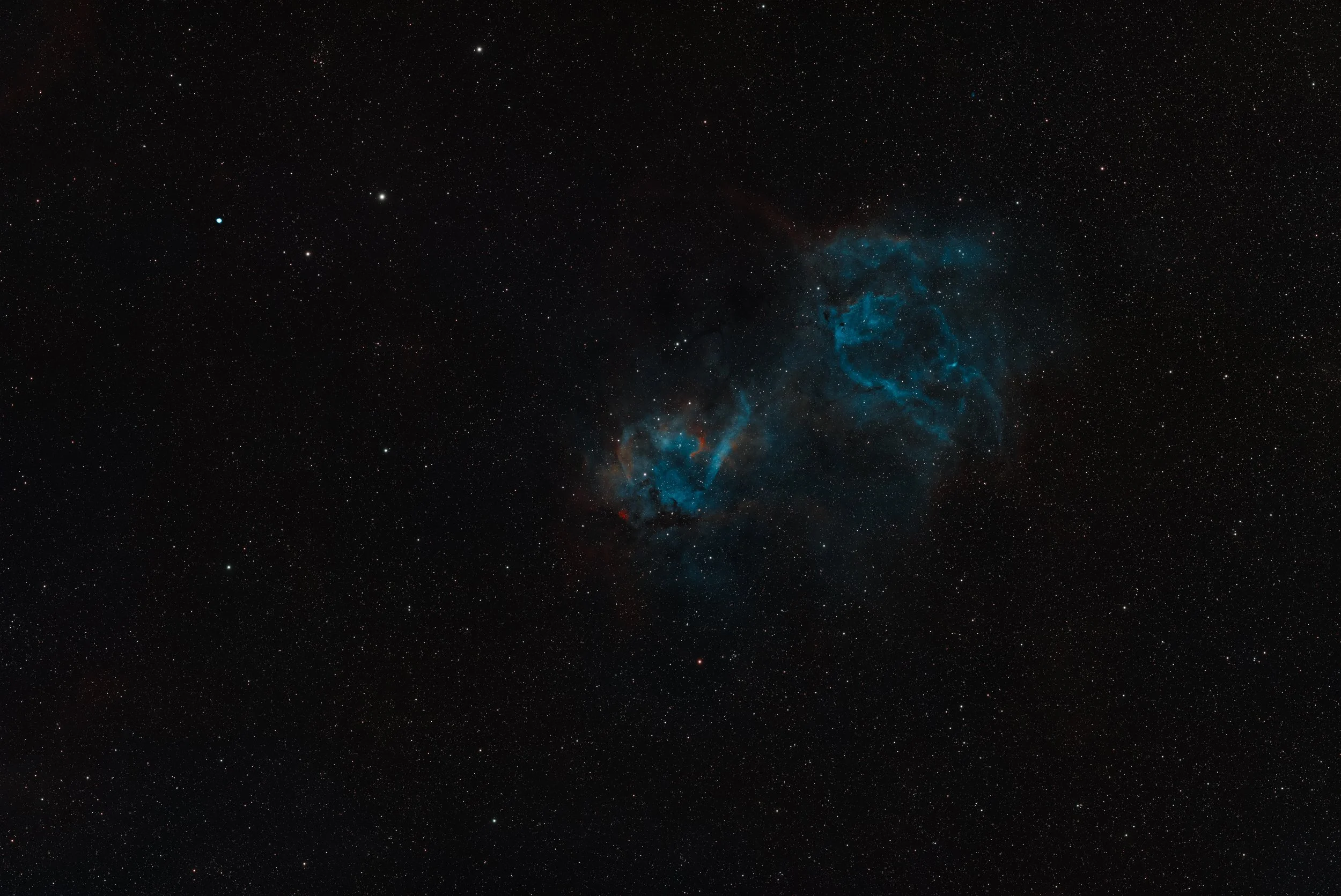
Linear image by L-Synergy filter only (Linear)
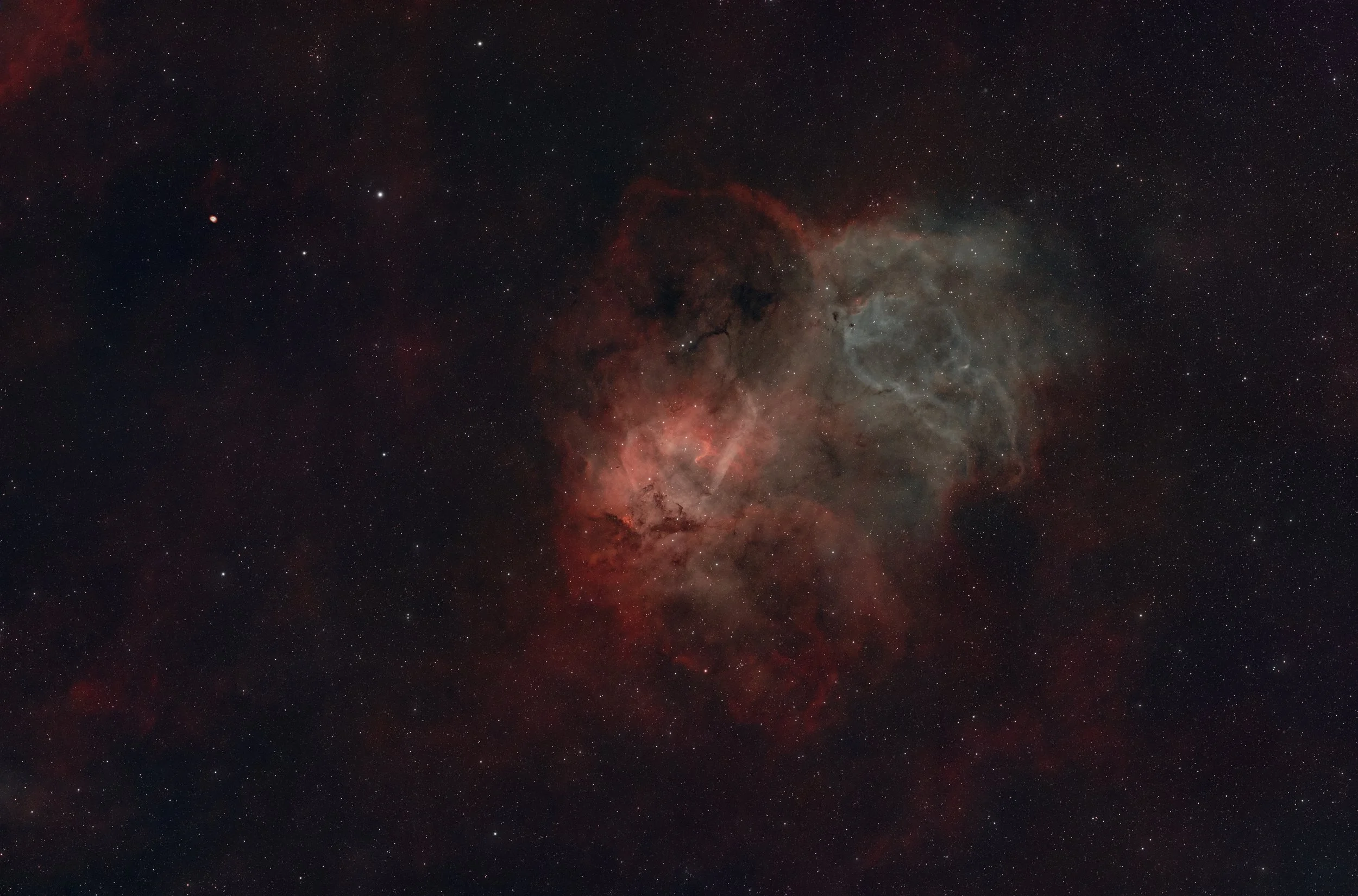
Natural color image by L-eNhance and L-Synergy filters combination
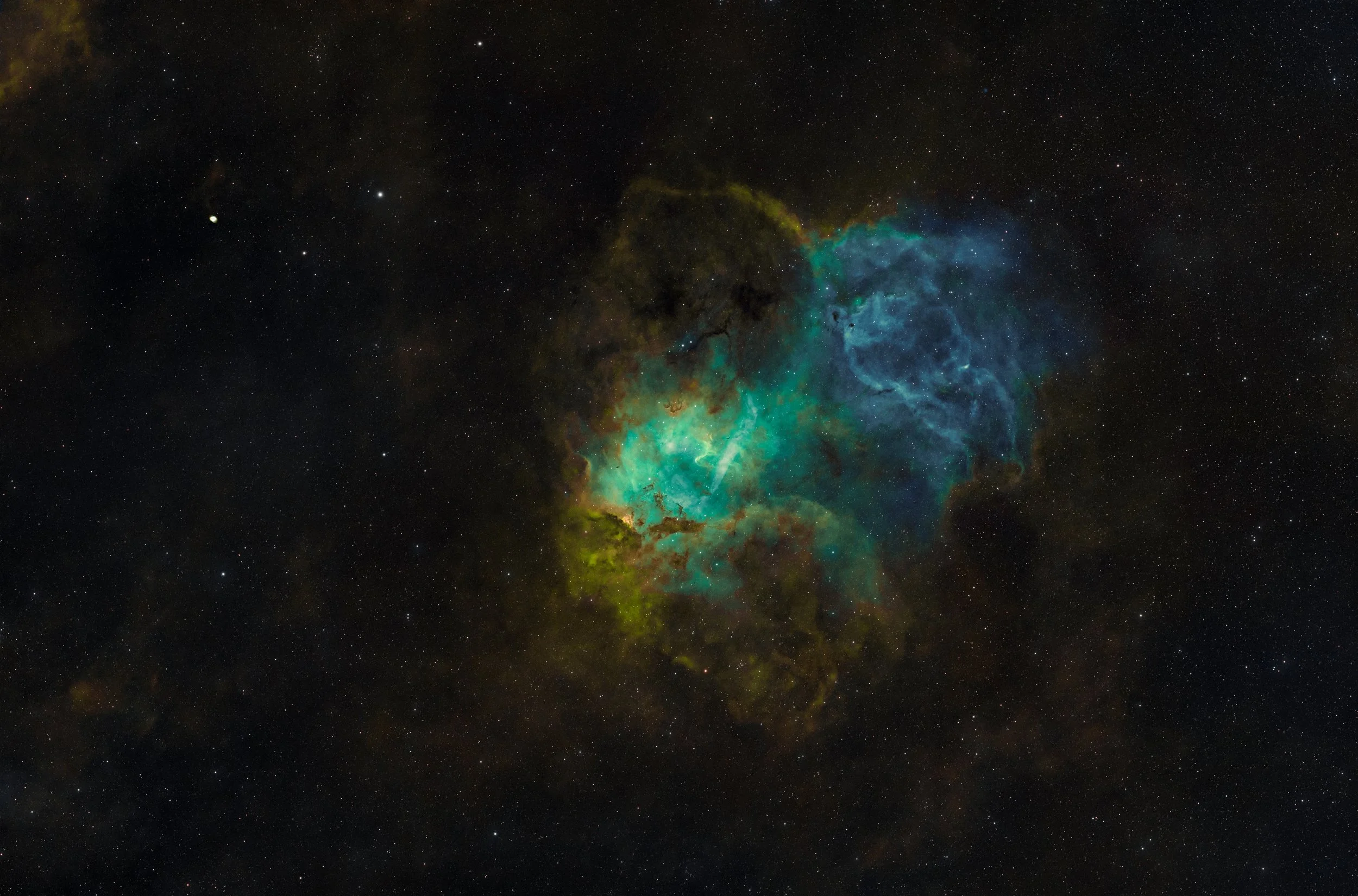
Pseudo-SHO image by L-eNhance and L-Synergy filters combination
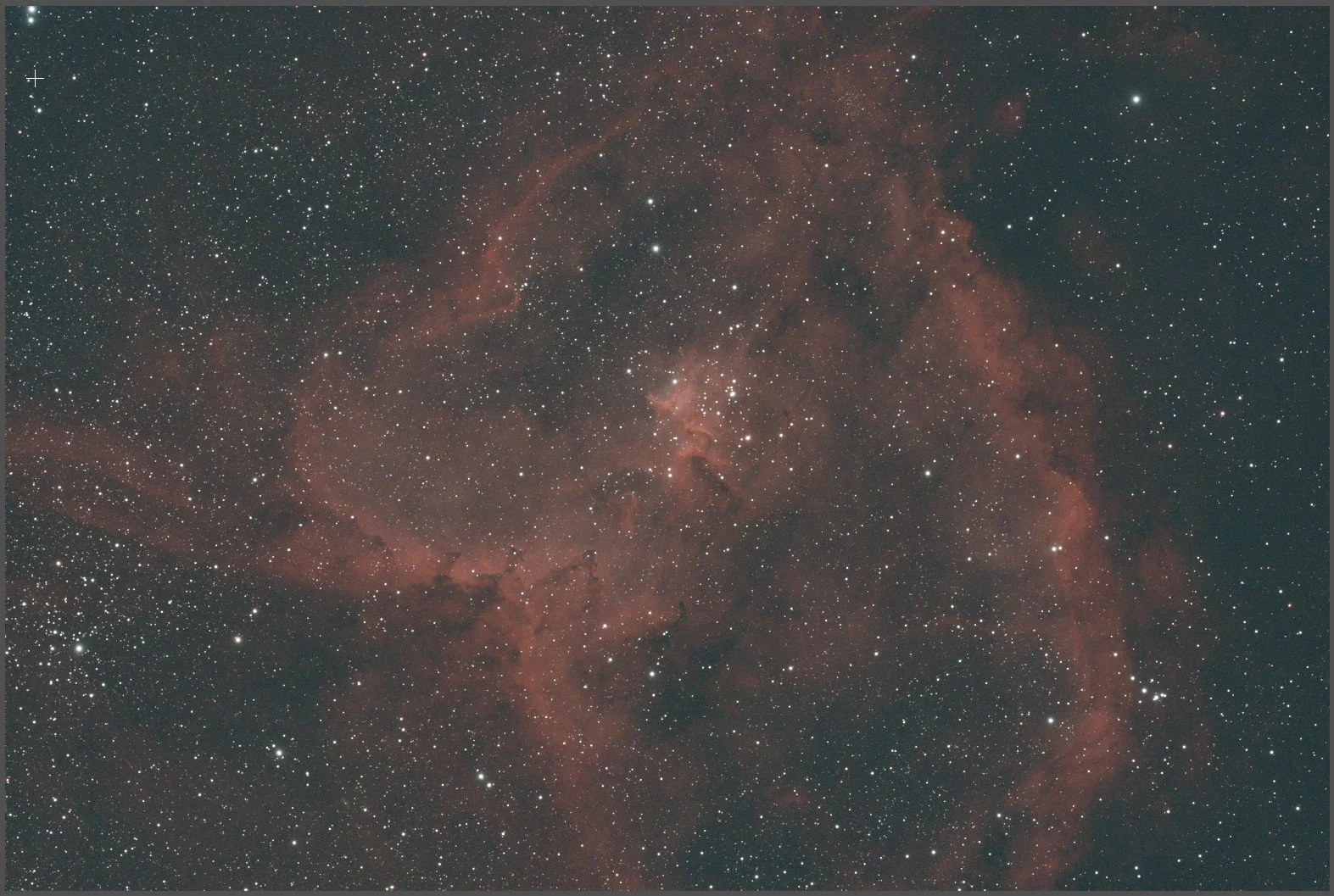
Linear image by L-eNhance filter only
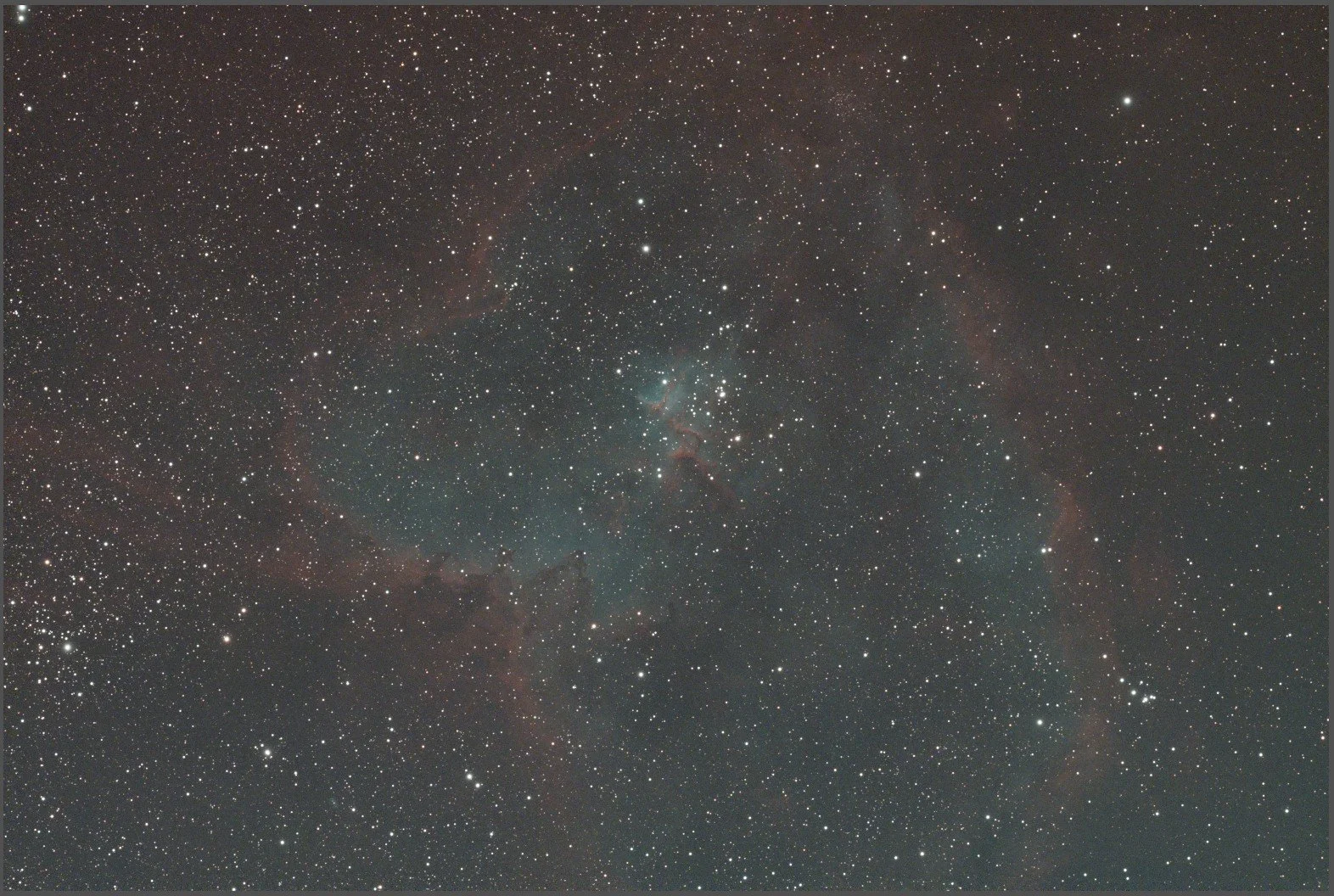
Linear image by L-Synergy filter only
ဒီ post လေးကိုတော့ Pseudo-SHO Palette ဖန်တီးချင်တဲ့ OSC (One-Shot Color) Camera user တွေအတွက် အသုံးဝင်မယ်လို့ ယူဆမိလို့ ရေးဖြစ်တာပါခင်ဗျ။ OSC user တွေအတွက် အားနည်းချက်တစ်ခုကတော့ Mono Camera တွေလိုမျိုး SII, Ha နဲ့ OIII signal တွေကို သီးခြားစီ ဖမ်းယူပြီး True SHO Image တစ်ပုံအဖြစ် ဖန်တီးနိုင်ခြင်း မရှိတာပါပဲ။
ဒါပေမဲ့ OSC Camera သုံးတဲ့သူတွေအတွက်လည်း Synthetic SHO ဖြစ်တဲ့ Pseudo-SHO Palette ကို အသုံးပြုပြီး Hubble Palette နဲ့ ဆင်တူတဲ့ အရောင်အသွေးရှိတဲ့ Nebula Image တွေကို ဖန်တီးလို့ရပါတယ်။
ဒါဆိုရင် မေးစရာမေးခွန်းကရှိလာပါပြီ။ OSC Camera နဲ့ ဖန်တီးထားတဲ့ Pseudo-SHO ကို True SHO နဲ့ ပိုမိုနီးစပ်တဲ့ ရလဒ်မျိုး ရရှိအောင် လုပ်လို့မရဘူးလားဆိုတာပါပဲ။ ဟုတ်ကဲ့ အရင်ကတည်းက လုပ်လို့ရပါတယ်။ ဒါပေမဲ့ ကျွန်တော့်အမြင်အရ အခုနောက်ပိုင်းမှာ ထွက်ရှိလာတဲ့ Filter တွေနဲ့ ရရှိလာတယ့် Processing နည်းလမ်းတွေကို အသုံးချပြီး ပိုမိုကောင်းမွန်တဲ့ ရလဒ်တွေ ဖန်တီးနိုင်လာတာကို တွေ့ရပါတယ်ခင်ဗျ။
ကဲ.....မေးခွန်းကထပ်ရှိလာပြန်ပါပြီ။ ဘာကြောင့် SII နဲ့ OIII Signal တွေက အရေးကြီးတာလဲဆိုတာပါပဲ။
SHO Palette မှာ ပုံမှန်အားဖြင့် —
🔴 SII → Red
🟢 Ha → Green
🔵 OIII → Blue
ဆိုပြီး Channel တစ်ခုချင်းစီကို သတ်မှတ်အသုံးပြုကြပါတယ်။
ဒါပေမဲ့ OSC Camera နဲ့ ရိုက်ကူးထားတဲ့ Data တွေကို အသုံးပြုပြီး Synthetic SHO ဖန်တီးတဲ့အခါ Channel တစ်ခုချင်းစီအတွက် လိုအပ်တဲ့ Signal Information ကို ရရှိဖို့က အရေးကြီးပါတယ်။ အရင်က ကျွန်တော့်အနေနဲ့ L-eNhance၊ L-eXtreme လို Ha နဲ့ OIII ဘက်ကို အဓိကထားတဲ့ Dual-band Filter တွေကိုပဲ အသုံးပြုပြီး ရိုက်ကူးခဲ့တာပါ။ ဒီ Filter တွေက Natural Color Nebula Image တွေ ဖန်တီးဖို့အတွက် အဆင်ပြေပေမဲ့ Pseudo-SHO ဖန်တီးတဲ့အခါမှာတော့ ကိုင်တွယ်ရခက်တဲ့ အပိုင်းတွေ ရှိလာပါတယ်။
အထူးသဖြင့် SII Signal ကို သီးခြားကောင်းကောင်း ရရှိထားတာ မဟုတ်တဲ့အတွက် Synthetic SII Channel ဖန်တီးရာမှာ အကန့်အသတ်တွေ ရှိလာနိုင်ပါတယ်။ OIII Signal ရဲ့ အားနဲ့ Data Quality ပေါ်မှာလည်း မူတည်တာကြောင့် SHO Color Separation လုပ်တဲ့အခါ ကိုယ်လိုချင်တဲ့ အရောင်အသွေးနဲ့ Nebula Structure တွေကို ရရှိဖို့ ပိုပြီးခက်ခဲနိုင်ပါတယ်။ နောက်ပြီး OIII Signal ကိုပိုပြီးရရှိအောင်ဖမ်းယူနိုင်ပါကလည်း Squid Nebula (OU4) လိုမျိုး OIII အရမ်းအားနည်းတယ့် Nebula တွေကိုရိုက်ကူးရာမှာ အရမ်းအသုံးဝင်တာကိုလည်း တွေ့ရှိလာရတာပါ။ နောက်တစ်ချက်က Ha Signal အားကောင်းလွန်းတဲ့ Data တွေမှာ Red သို့မဟုတ် Ha ဘက်က အရောင်က အခြား Channel တွေထက် လွှမ်းမိုးနေတတ်တာပါပဲ။
ဒါကြောင့် L-Synergy Filter ကို ဘာကြောင့် အသုံးပြုတာလဲဆိုတာကို ရှင်းပြပေးရခြင်းဖြစ်ပါတယ်ခင်ဗျ။ ကျွန်တော်ကတော့ Synthetic SHO Processing အတွက် Optolong ရဲ့ L-Synergy Filter ကို L-eNhance လို Filter တွေနဲ့ တွဲဖက်အသုံးပြုပါတယ်။
L-Synergy က Ha, OIII နဲ့ SII ဘက်က Signal Information တွေကို ရရှိနိုင်အောင် ဒီဇိုင်းလုပ်ထားတဲ့ Multi-band Filter ဖြစ်ပါတယ်။ ဒါကြောင့် Pseudo-SHO ဖန်တီးတဲ့အခါ လိုအပ်တဲ့ Signal Information တွေကို ပိုမိုအသုံးချနိုင်ဖို့ အထောက်အကူပြုပါတယ်ခင်ဗျ။ Filter တစ်ခုတည်းကိုသာ အားကိုးတာထက် Filter မတူညီတဲ့ Data တွေကို စနစ်တကျ ပေါင်းစပ်အသုံးပြုခြင်းအားဖြင့် Synthetic SHO Processing အတွက် ပိုမိုအသုံးဝင်တဲ့ Data တွေ ရရှိနိုင်ပါတယ်။
သို့သော် Filter နှစ်မျိုးကို တွဲသုံးလိုက်ရုံနဲ့ True SHO နဲ့ တူညီသွားတာမျိုးတော့ မဟုတ်ပါဘူး။ Filter တစ်ခုချင်းစီရဲ့ Transmission Band၊ Signal Strength၊ Exposure Time နဲ့ Processing နည်းလမ်းတွေအပေါ် မူတည်ပြီး ရလဒ်ကွာခြားနိုင်ပါတယ်။
ဒါဆို Natural Color နဲ့ Pseudo-SHO ဘယ်ဟာကို ရိုက်သင့်သလဲ။ သင်က ပုံမှန် Natural Color Nebula Image တစ်ပုံကိုပဲ ဖန်တီးချင်တယ်ဆိုရင် Ha နဲ့ OIII ကို ကောင်းကောင်းဖမ်းယူပေးနိုင်တဲ့ Dual-band Filter တစ်ခုနဲ့တင် အဆင်ပြေနိုင်ပါတယ်။ ဒါပေမဲ့ သင်က Pseudo-SHO Palette ကို ဖန်တီးချင်တယ်ဆိုရင်တော့ SII ဘက်က Information ကိုပါ ထည့်သွင်းစဉ်းစားသင့်ပါတယ်။
SII Signal က အားနည်းတဲ့ Target တွေမှာ L-Synergy လို Filter ကို အသုံးပြုပြီး Data ပိုမိုစုဆောင်းတာက အထောက်အကူဖြစ်စေပါတယ်။ သို့သော် Integration Time ၊ Sky Condition နဲ့ Calibration တို့ကလည်း အရေးကြီးပါတယ်။ နောက်ဆုံးမှာ Image တစ်ပုံရဲ့ အရည်အသွေးကို ဆုံးဖြတ်ပေးတာက Filter တစ်ခုတည်း မဟုတ်ပါဘူး။ ရရှိထားတဲ့ Data Quality၊ Channel Separation၊ Channel Balancing နဲ့ PixelMath Processing တွေကလည်း အရေးပါတဲ့ အခန်းကဏ္ဍမှာ ပါဝင်နေတာပါ။
ကျွန်တော့်အမြင်အရ OSC Camera နဲ့ Pseudo-SHO ဖန်တီးခြင်းဆိုတာ True SHO ကို အစားထိုးဖို့ ကြိုးစားခြင်းထက် ကိုယ့်မှာရှိတဲ့ Data တွေကို အကောင်းဆုံးအသုံးချပြီး ပိုမိုကောင်းမွန်တဲ့ Nebula Image တစ်ပုံ ဖန်တီးနိုင်ဖို့ ကြိုးစားခြင်းဖြစ်ပါတယ်။ နောက်တစ်ခုကလည်း Nebula တွေကို True SHO နဲ့ပဲဖြစ်ဖြစ်၊ Pseudo-SHO နဲ့ပဲဖြစ်ဖြစ်ဖော်ပြပေးတာက ကြည့်ရှုလေ့လာသူတွေကို Nebula တွေမှာပါဝင်တယ့်ဓာတ်ငွေ့တွေဘယ်လိုတည်ရှိနေသလဲဆိုတာကို သိရှိစေတာဖြစ်ပြီးတော့ နောက်တစ်ချက်ကလည်း color separation နဲ့ဖော်ပြလိုက်တာဖြစ်တယ့်အတွက်ကြည့်ရှုသူတွေရဲ့အမြင်မှာ 3D effect လိုမြင်ရတာဖြစ်တယ့်အတွက် စိတ်ဝင်စားမှုကိုလည်းဖြစ်စေတယ်လို့ ကျွန်တော့်အနေနဲ့ယူဆမိပါတယ်ခင်ဗျ။
ဒါကြောင့် OSC Camera နဲ့ Nebula ရိုက်ကူးနေကြတဲ့ မိတ်ဆွေတွေအတွက် ဒီအကြောင်းအရာလေးက အသုံးဝင်မယ်လို့ မျှော်လင့်ပါတယ်ခင်ဗျ.....
မိုးသားကင်းစင်ကြည်လင်သောညများ ဖြစ်ပါစေ — အမြင်ကောင်းများနှင့် အောင်မြင်သော observation များရရှိပါစေ.....