Why Mosaic FITS Files Don’t Stack Well & How Light Pollution Can Ruin Your Shot (For Vespera Pro Smartscope)
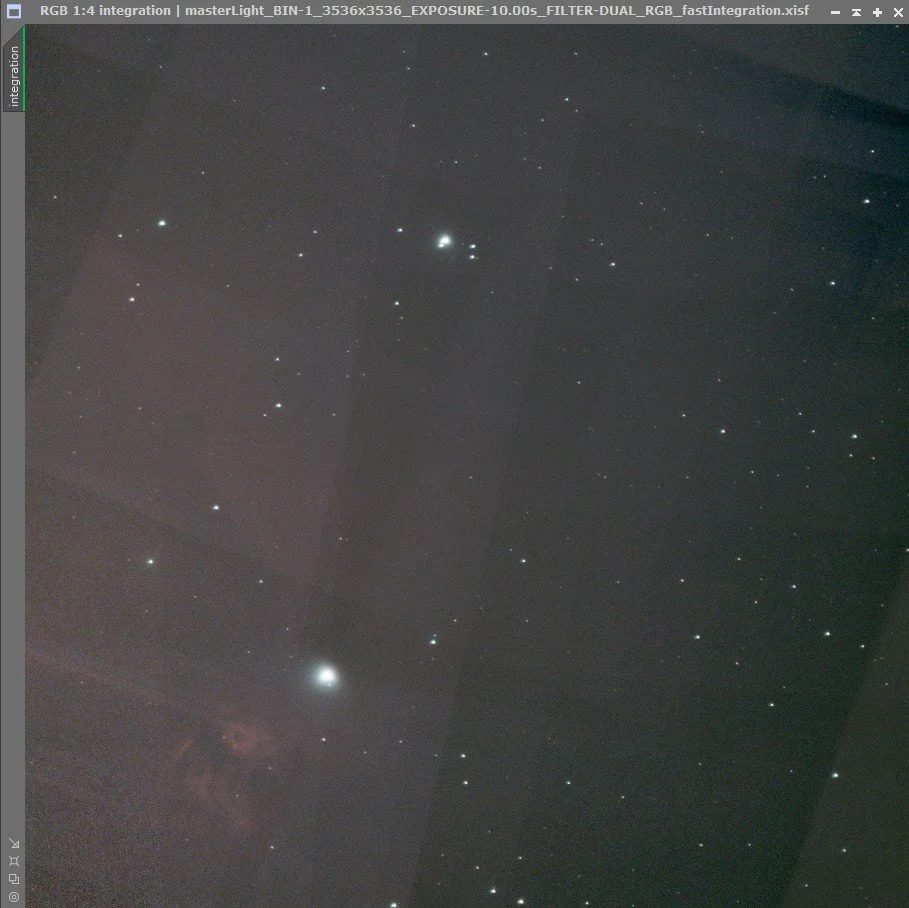
If you ask why FITS (RAW) files captured in Mosaic mode are not suitable for stacking, the answer can be seen in Image 1.
Since the imaging follows the Earth’s rotation, and Mosaic mode captures not only the main subject but also several surrounding panels, the Vespera Pro smart telescope does not export pre-stacked FITS files. Even if you try stacking them later using external applications, the final result often shows stitching lines like in Image 1, and the main subject may appear misaligned.
In some cases, the main subject can even move outside the frame entirely, leaving only stars visible in the image. That’s why, when using Mosaic mode, it is generally recommended to retouch the TIFF files instead.
Another important point is about light pollution.
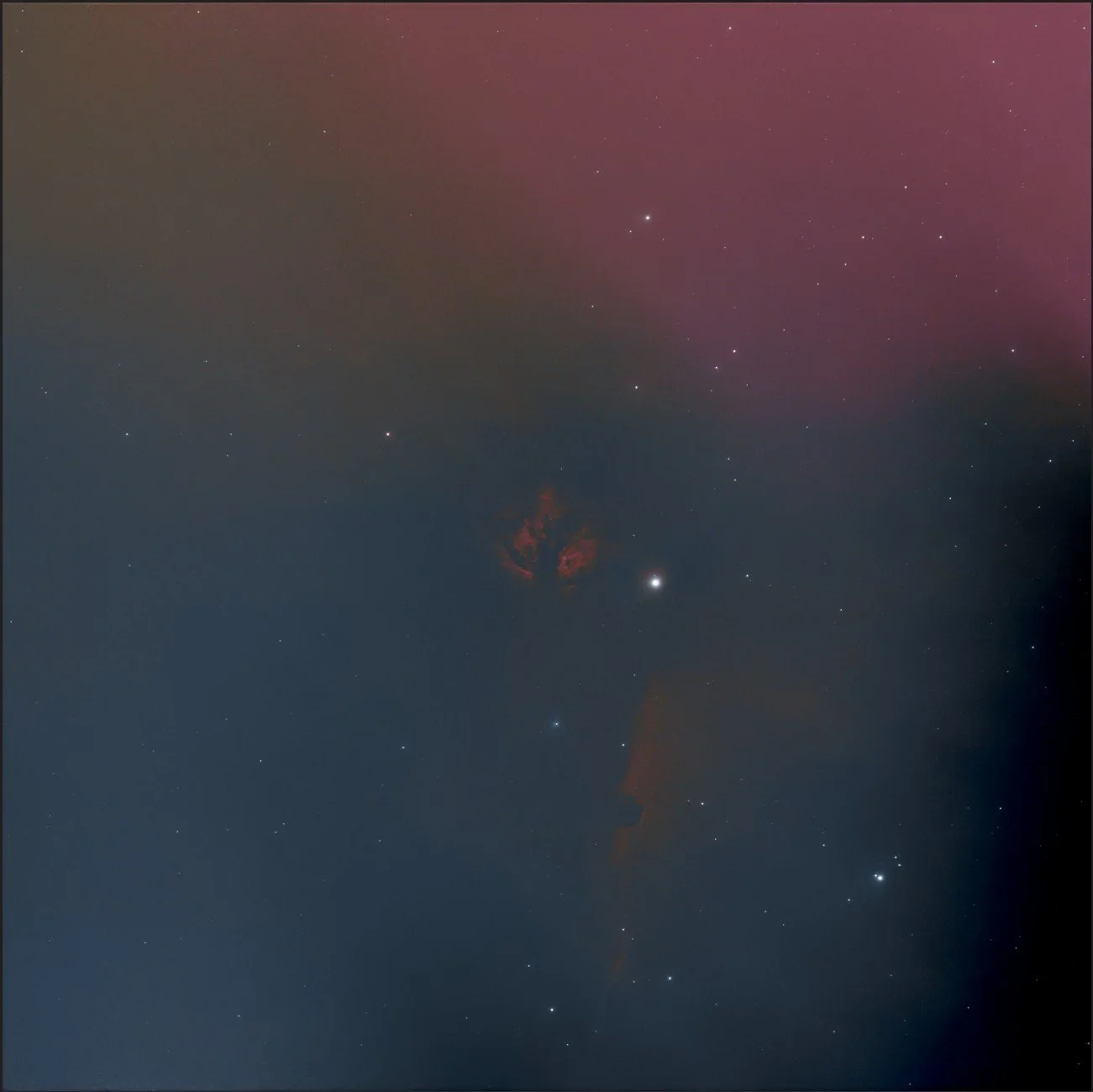
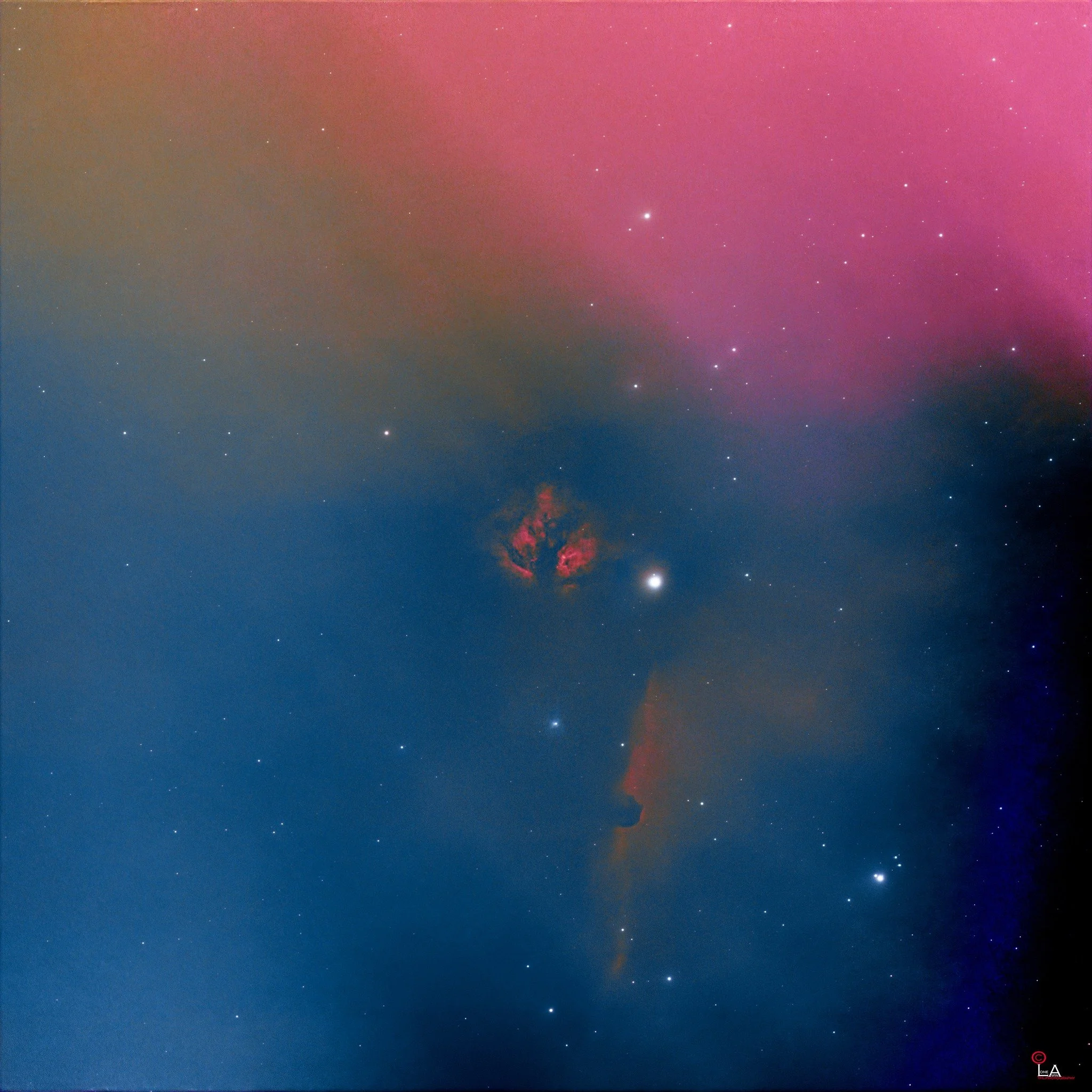
If strong light sources—such as streetlights or commonly used home security floodlights—are located near the path your camera will track across the sky, what happens? The answer can be seen in Images 2 and 3.
On that day, I planned to shoot the Flame Nebula for about three hours. I noticed there was a streetlight near the camera’s tracking path, but I assumed the camera wouldn’t reach that area within three hours. That assumption turned out to be completely wrong.
By the time three hours passed, the camera had already moved past the streetlight and even beyond it. When I checked the images on my computer, I saw that they were heavily affected by light pollution.
During editing, I tried to reduce the excessive light as much as possible, but this caused the image to become unbalanced. Adjusting saturation and contrast to compensate only made things worse—eventually, the image looked like an overdone face with too much makeup.
Clear skies and happy observing…..
Mosaic mode နဲ့ရိုက်ထားတယ့် Fits (RAW) files ကိုဘာကြောင့် stacking မလုပ်သလဲဆိုတယ့်မေးခွန်းရဲ့အဖြေကိုပြောပြပေးပါဆိုရင် ပုံနံပါတ် 1 ကအဖြေပါပဲခင်ဗျ။ Earth rotation အတိုင်းလိုက်ပြီးရိုက်ရတယ့်အပြင် Mosaic က main subject အပါအဝင်သူ့ပတ်ဝန်းကျင်ကနေရာလေးခုလောက်ကိုပါတွဲပြီးရိုက်တာမို့လို့ fits file ကို pre-stacked export မလုပ်ပေးတယ့် Vespera Pro smartscope နဲ့ဆိုအပြင်မှာ application နဲ့ပြန်ပြီး stacking လုပ်သည့်တိုင်အောင် final result က ပုံနံပါတ် 1 လိုမျိုးလိုင်းတွေပါပါလာပြီး main subject ကလည်းနေရာလွဲပြီးရှိနေတာကိုတွေ့ရမှာပါ။ တစ်ခါတစ်လေဆို main subject က frame ရယ့်အပြင်ကိုရောက်နေပြီး ပုံမှာကြယ်တွေပဲပါလာတာမျိုးလည်းရှိတတ်ပါတယ်။ Mosaic mode နဲ့ဆို TIFF file ကိုပဲ retouching လုပ်ဖို့ recommand ကြတာများပါတယ်ခင်ဗျ။
နောက်တစ်ခုက Light pollution များတယ့်လမ်းမီးတိုင်တို့ အိမ်တွေမှာအများအားဖြင်သုံးတတ်တယ့် လုံခြုံရေးဆလိုက်မီးတို့က ကိုယ့်ကင်မရာသွားမယ့်လမ်းကြောင်းနဲ့နီးတယ့်နေရာမျိုးမှာရှိနေမယ်ဆိုရင် ဘာဖြစ်တတ်သလဲဆိုတယ့်မေးခွန်းရယ့်အဖြေကိုပြောပြပေးပါဆိုရင် ပုံနံပါတ 2 နဲ့ 3 ကအဖြေပါပဲခင်ဗျ။
အဲဒီနေ့က Flame Nebula ကို သုံးနာရီလောက်ရိုက်မယ်လို့စိတ်ကူးပြီးရိုက်လိုက်တာ ကိုယ့်ကင်မရာသွားမယ့်လမ်းကြောင်းရယ့်အနီးမှာ လမ်းမီးတိုင်တစ်ခုရှိနေတာကိုသတိထားမိပေမယ့် သုံးနာရီလောက်နဲ့တော့ ကင်မရာ direction ကအဲ့နားလောက်မရောက်လောက်ပါဘူးလေဆိုပြီးထားလိုက်တာ ဘယ်ဟုတ်မလဲ သုံးနာရီပြည့်တော့ ကင်မရာကလမ်းမီးတိုင်ကိုကျော်ပြီးဟိုဖက်တောင်ရောက်နေပြီ။ ကွန်ပြူတာထဲမှာကြည့်လိုက်တော့ ပုံမှာ light pollution တွေရှယ်များနေတာကိုတွေ့လိုက်ရတာပါပဲ။ Editing လုပ်တော့လည်း များနေတယ့်အလင်းတွေကိုတတ်နိုင်သလောက်နည်းအောင်လိုက်လုပ်ရတော့ ပုံက unbalance တွေဖြစ်ပြီး saturation တွေ contrast တွေလိုက်ဖြည့်ရင်းနဲ့ မိတ်ကပ်များနေတယ့်မျက်နှာကြီးလိုဖြစ်သွားတာသာကြည့်တော့ဗျာ…..
မိုးသားကင်းစင်ကြည်လင်သောညများ ဖြစ်ပါစေ — အမြင်ကောင်းများနှင့် အောင်မြင်သော observation များရရှိပါစေ.....